HEAD TO HEAD
GetResponse vs Mailchimp: unlimited sending against a metered incumbent
 vs

On the same brief (5,000 contacts, a weekly newsletter, a three email welcome sequence) both platforms are covered by their entry plan. The difference is how the bill behaves next. GetResponse never meters sending on a paid plan, so frequency is free. Mailchimp sells a sending multiple of your contact tier and charges overage beyond it. GetResponse is the better fit when you send often from one list; Mailchimp holds up when its integrations are the reason you are there.
Our pick for most readersGetResponse
The better buy for a growing newsletter sent from one list. Sending is unlimited on every paid plan, the entry plan already covers the brief, and the annual ladder cuts the bill further. The catch: the entry plan allows one custom automation workflow, so branching journeys mean the Marketer plan.
From €16/mo · paid plans onlyTry GetResponsePick it ifMailchimp
Pick it if the integrations around Mailchimp are why you are there and your sending stays well inside ten times your contact tier. Billing is monthly only, overage is charged past the allowance, and there is a permanent free plan for very small lists.
Free plan, paid from $13/mo · Free up to 250 contacts, 500 emails/moNot a partner of this site · prices on mailchimp.com/pricing/marketingTwo ladders, side by side
| At a glance | GetResponse | Mailchimp |
|---|---|---|
| Positioning | Automation, webinars, courses and multi-list management under one subscription. | The incumbent everyone integrates with, priced by contacts with sending multiples per plan. |
| Billing unit | per contact | per contact |
| Free plan | paid plans only | Free up to 250 contacts, 500 emails/mo |
| Plans | Starter: €48/mo at 5,000 contacts Marketer: €82/mo at 5,000 contacts Creator: €94/mo at 5,000 contacts | Essentials: $75/mo at 5,000 contacts Standard: $100/mo at 5,000 contacts Premium: see pricing |
| Entry price | from €16/mo | free plan, paid from $13/mo |
| Billing notes | Priced by list size with unlimited sends on paid plans; annual billing saves about 18%. The list-size selector starts at 1,000 contacts. | Monthly billing only; sending allowances are 10x, 12x or 15x the contact tier depending on plan, and overages are charged. There is no 1,000-contact tier: between 501 and 1,500 contacts you pay the 1,500 tier. |
Amounts come from each provider's official pricing page and can change: the official GetResponse pricing page · the official Mailchimp pricing page (mailchimp.com/pricing/marketing).
Read the currencies before the numbers: the GetResponse ladder is published in euros as served in Europe, Mailchimp's in dollars, and neither is a straight conversion of the other. Both bill by contacts. What changes is what sits on top of the contact count: nothing at GetResponse, a monthly sending allowance at Mailchimp.
Unlimited sending against a multiple of the list
Every paid GetResponse plan sends without limit, so a daily newsletter costs what a monthly one costs. Mailchimp's allowance is ten times the contact tier on Essentials, twelve on Standard and fifteen on Premium, and paid plans are charged overage when contacts or sends pass the limit.
For the weekly brief above the Mailchimp allowance is comfortable: 22,250 sends against 50,000 included. It starts to matter when you add a second weekly send, resend to non openers, or run several automations on the same audience. Each of those spends allowance at Mailchimp and nothing at GetResponse. If your cadence is likely to rise, price Mailchimp on the plan you will need next, not on the one that fits today.
Where the workflow limits bite
GetResponse's Starter plan pairs unlimited newsletters and autoresponders with a single custom automation workflow. A three email welcome sequence runs as an autoresponder series, so the brief fits. A second branching path (cart recovery, re-engagement, a purchase trigger) moves you to Marketer, which lifts the cap to unlimited workflows.
On Mailchimp, the Customer Journey Builder is listed as a Standard plan feature on its pricing page, and Essentials is framed around audiences, users and A/B testing. Check the journey limits of the plan you are pricing on the official Mailchimp pricing page before you rely on Essentials for more than a simple welcome flow. Either way, compare the plans you would actually run: GetResponse Marketer against Mailchimp Standard as soon as more than one conditional journey is in play.
Lists, audiences and how contacts are counted
Both products let you keep more than one list, and on both the count that drives the bill deserves a look before you split a base. GetResponse treats each list independently for billing, so an address on three lists counts three times, while newsletters are deduplicated at send time. Mailchimp's plans are framed by audiences: three on Essentials, five on Standard, unlimited on Premium.
The practical rule is the same on both sides: one list with tags or segments is cheaper than several lists holding the same people. The GetResponse side of this, with the help centre's own example, is detailed on the GetResponse review.
Moving from Mailchimp to GetResponse
Mailchimp is the platform most people on this site are leaving, and GetResponse is a common destination because sending stops being metered. The move is documented object by object in our Mailchimp to GetResponse migration guide: what the Mailchimp export contains, what the GetResponse import accepts, and what you have to rebuild by hand.
Price the destination before you start: the GetResponse plans dossier lists every rung of the ladder, monthly and annual, read from the official pricing page.
Who should pick which
- Weekly or more frequent newsletter, one list: GetResponse, where frequency never moves the bill.
- Several branching automations: GetResponse Marketer against Mailchimp Standard, not the two entry plans.
- Integrations built around Mailchimp: Mailchimp, while your sending stays inside the allowance.
- Fewer than 250 contacts and no budget: Mailchimp's free plan, which suspends sending at its limit rather than billing overage.
- Webinars or courses you would otherwise pay for: GetResponse Creator, after adding up what it replaces.
Run your own list size and cadence through the cost calculator before you commit. the official GetResponse pricing page.
The same newsletter and the same welcome sequence
| The same brief | GetResponse | Mailchimp |
|---|---|---|
| What the bill follows | contacts stored | contacts stored |
| Cheapest plan that covers the brief | Starter at 5,000 contacts €48/mo | Essentials at 5,000 contacts $75/mo |
| Monthly sends included | unlimited | 50,000 emails |
| Headroom after the brief | no ceiling published | 27,750 sends left |
The brief, identical on every comparison here: a list of 5,000 contacts, one newsletter to everyone each week (21,650 sends a month) and the same three email welcome sequence for 200 new subscribers (600 sends), so 22,250 sends in all. Prices and allowances are read from each provider's published ladder. Where an allowance is not published we say so rather than estimate it.
The two providers publish in different currencies (EUR and USD), so the two amounts above are not directly comparable. The cost calculator converts them to one currency before ranking.
What the two products actually look like
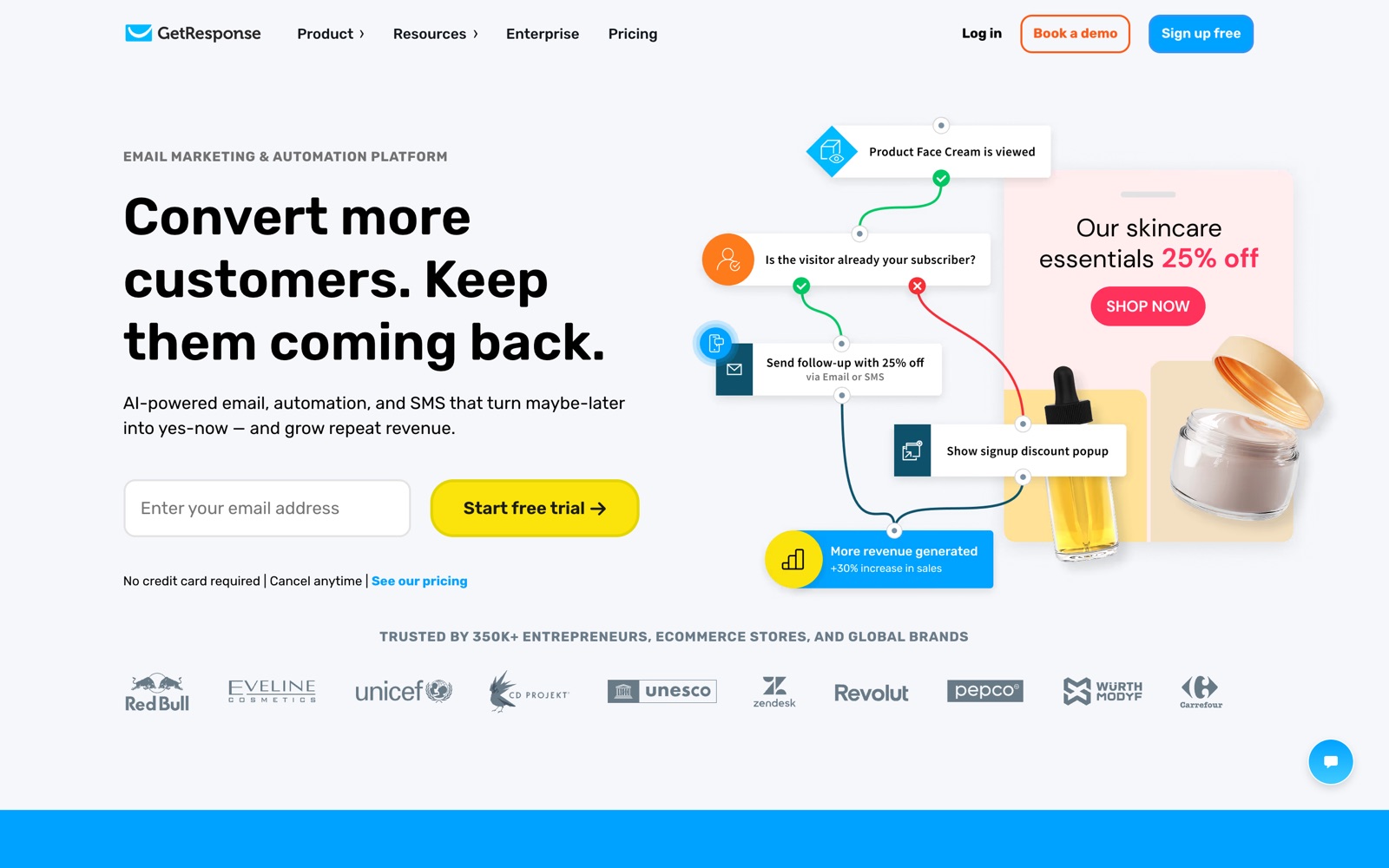
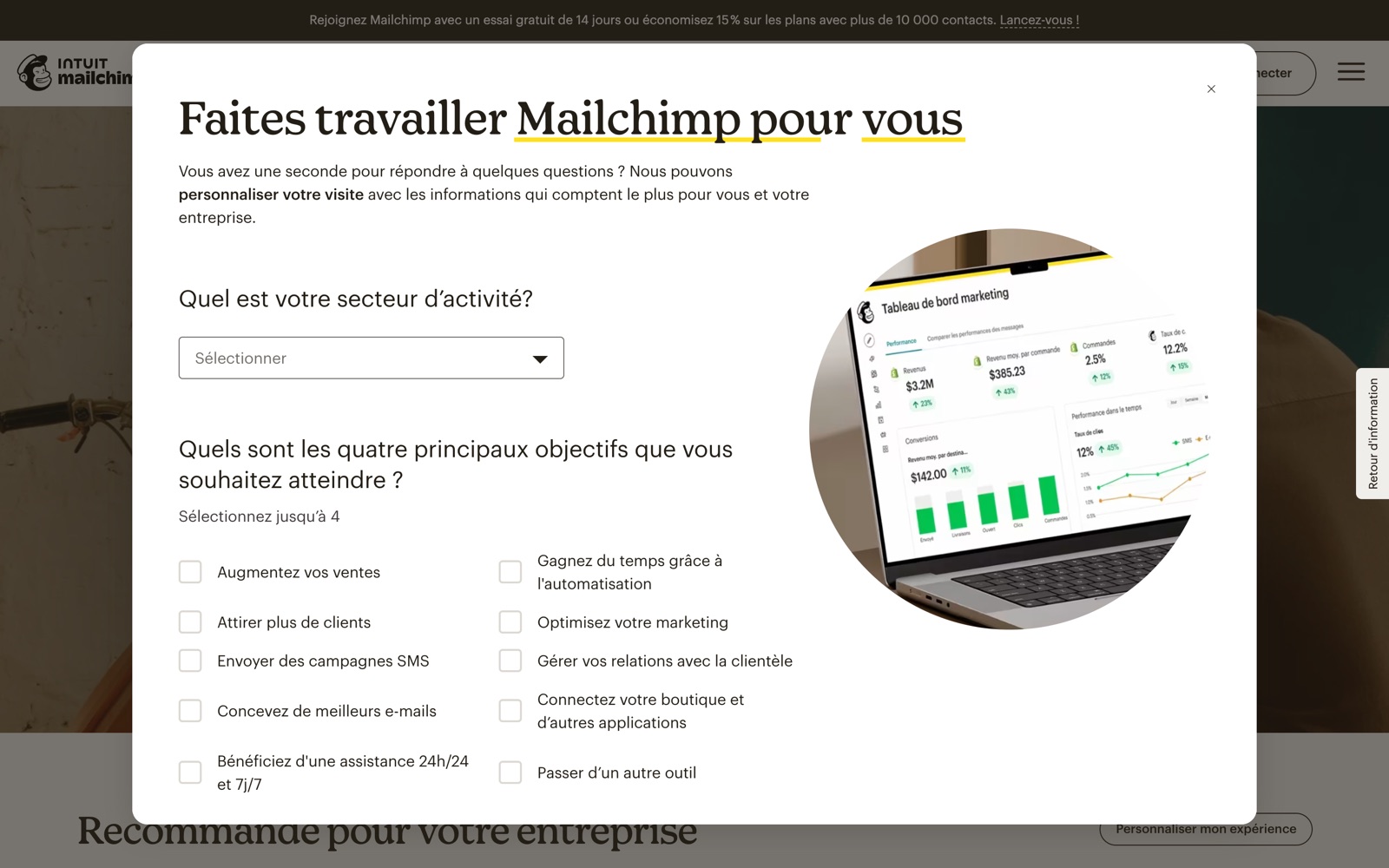
What we checked, and where it comes from
GetResponse
- No permanent full free plan: a 14-day trial, after which a limited free account keeps a GetResponse badge on emails. Source: the official GetResponse pricing page
- Sending is unlimited on paid plans; pricing follows list size from 1,000 contacts up. Source: the official GetResponse pricing page
- Each list is treated independently for billing: an address on several lists counts once per list (help example: 4 people on 3 lists = 8 contacts). Source: www.getresponse.com/help/how-does-getresponse-pricing-work.html
- Each list carries its own From address, opt-in settings, confirmation email and language. Source: www.getresponse.com/help/how-do-i-create-a-new-contact-list.html
- Newsletters are deduplicated across lists at send time: one copy per address. Source: www.getresponse.com/help/i-have-the-same-contact-on-more-than-one-list-will-they-get-my-message-several-times.html
- Automation treats the same person on different lists as separate contacts; the Unique contacts filter stops repeat runs. Source: www.getresponse.com/help/how-can-i-filter-out-duplicate-contacts-in-a-workflow.html
Mailchimp
- Paid plans charge overage fees when contact or send limits are exceeded; the free plan suspends sending instead. Source: mailchimp.com/help/about-mailchimp-pricing-plans
- Sending multiples are 10x (Essentials), 12x (Standard) and 15x (Premium) of the contact tier. Source: mailchimp.com/forms/pricing/?currency=USD
- Premium does not exist below 10,000 contacts; Essentials stops at 50,000. Source: mailchimp.com/forms/pricing/?currency=USD
- Essentials stops at 50,000 contacts, Standard runs to 100,000 and Premium to 250,000. Source: mailchimp.com/forms/pricing/?currency=USD
- Monthly send allowances are published per tier in the official feed and match 10x (Essentials), 12x (Standard) and 15x (Premium) of the contact tier. Source: mailchimp.com/forms/pricing/?currency=USD
- No annual billing ladder is published: the feed exposes monthly plan packages only. Source: mailchimp.com/forms/pricing/?currency=USD
How to read this: every capability above is taken from the provider's own published pages, and each line names where it came from. We have not run a paid side by side test of these two platforms, so nothing on this page is presented as a test result. The hands on protocols we do publish, and their limits, are on the tests page. Where a provider does not publish something, we say so instead of estimating it.
Questions people also ask
Is GetResponse cheaper than Mailchimp?
On the 5,000 contact brief above, the GetResponse entry plan is listed at a lower amount than Mailchimp Essentials, though the two are in different currencies. The gap widens if you send more often, because GetResponse never charges for sending and Mailchimp charges overage past its allowance.
Does Mailchimp limit how many emails I can send?
Yes. Each paid plan includes a monthly allowance of ten, twelve or fifteen times the contact tier, depending on the plan, and paid plans are charged overage when contacts or sends pass the limit. GetResponse does not meter sending on any paid plan.
Can I bill GetResponse annually?
Yes: GetResponse publishes a twelve month ladder that saves about 18% on the monthly amounts. Mailchimp's official pricing feed exposes monthly plans only.
Have you run both platforms side by side?
No. This is a documentary comparison: every capability above is read from each provider's published pages and sourced below, and no paid account was run on either. Our hands on protocols, and their limits, are on the tests page.